

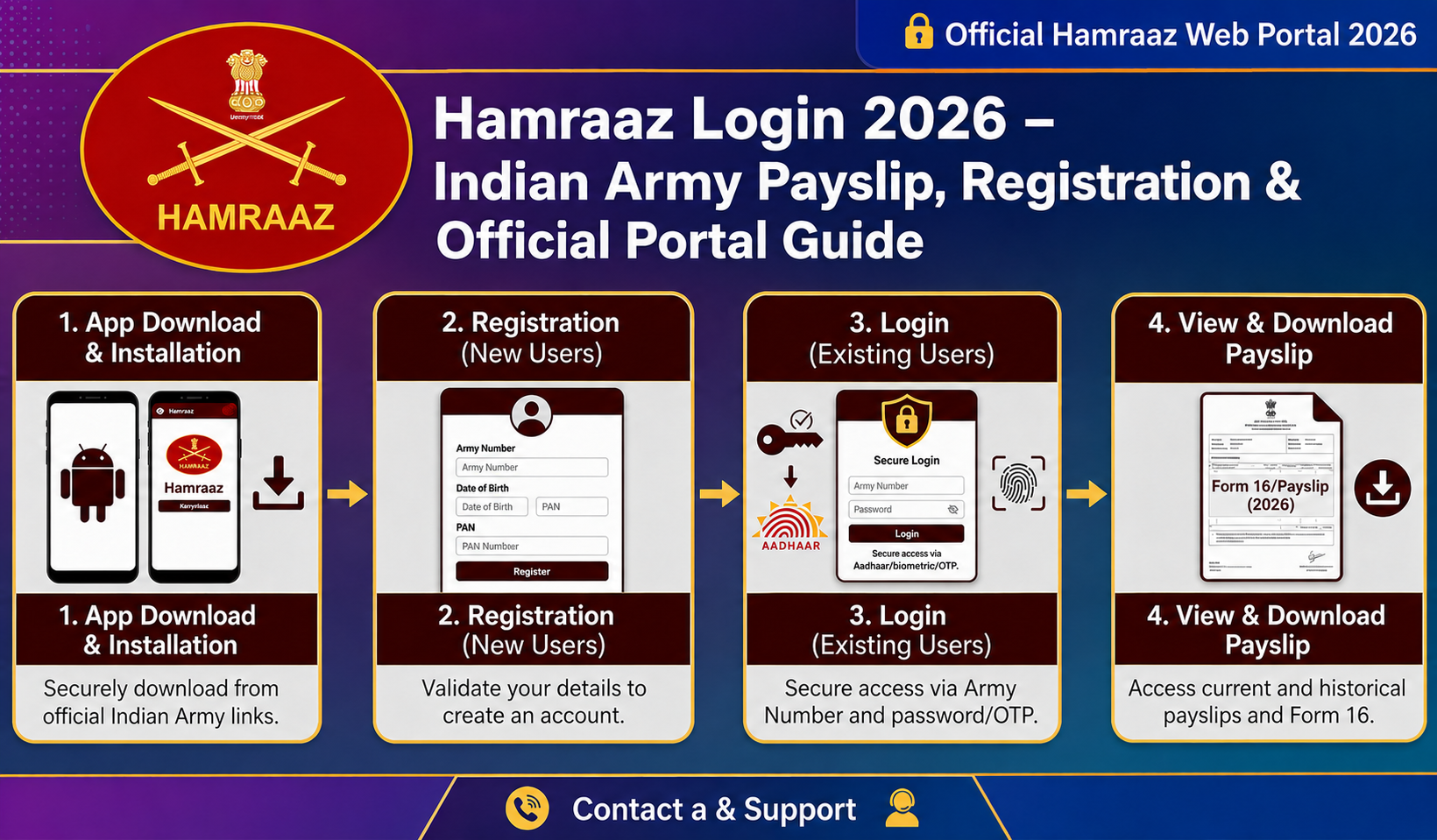
The Hamraaz portal serves as the primary digital platform for Indian Army personnel. Developed by the Indian Army, it allows serving soldiers, officers, and retired veterans to access essential documents like monthly payslips, service records, Form 16, and pension details conveniently from anywhere.
This comprehensive guide covers everything about the Hamraaz login process, including registration steps, features, troubleshooting common issues, security measures, and tips for smooth access. Whether you are a serving jawan or a retired personnel, mastering the Hamraaz portal simplifies administrative tasks significantly.
What Is Hamraaz?
Hamraaz, meaning “confidant” or “trusted companion” in Hindi, is an official web and mobile platform created in-house by the Indian Army. It digitizes key administrative processes, replacing cumbersome manual procedures with a secure, centralized system.
Personnel can now view and download their salary slips, income tax statements, service history, postings, promotions, and other important records online. The platform benefits millions of army members by providing quick, paperless access to personal and financial information via smartphone or computer.
Key Features of Hamraaz Portal
The Hamraaz system offers several user-friendly functionalities tailored for army personnel:
- Salary Slip Download: View and download monthly payslips in PDF format.
- Annual Income Tax Statement: Access Form 16 and IT statements for easy tax filing.
- Service Record: Review complete service history, postings, and promotions.
- Family Details: Update and view information about family members.
- Pension Details: Check pension status, arrears, and revisions for veterans.
- Leave Management: Apply for and track leave applications.
- Grievance Redressal: Submit complaints and monitor their resolution.
- Document Upload: Upload necessary personal documents securely.
- Notifications: Receive important updates, circulars, and announcements.
These features make Hamraaz an indispensable tool for efficient self-service.
How to Register on Hamraaz
Registration is mandatory for first-time users and is restricted to serving and retired Indian Army personnel.
Step-by-Step Registration Process:
- Download the official Hamraaz app from the Google Play Store (Android users) or visit the official web portal.
- Click on New Registration or Sign Up.
- Enter your Army/Service Number accurately.
- Provide your Date of Birth and other details exactly as per official records.
- Create a strong password following the platform’s guidelines.
- Verify your registered mobile number via OTP.
- Complete the process to activate your Hamraaz account.
Note: iOS users can access the portal via web browsers since the dedicated app is currently Android-only.
How to Login to Hamraaz
Once registered, logging in is straightforward:
- Open the Hamraaz app or visit the official website.
- Enter your Army Number and password.
- Complete OTP verification if prompted (two-factor authentication).
- Access your personalized dashboard to explore all available services.
Hamraaz Web Portal vs Mobile App
| Parameter | Hamraaz Web Portal | Hamraaz Mobile App |
|---|---|---|
| Platform | Desktop/Laptop browsers | Android smartphones |
| iOS Support | Yes (browser) | No |
| Download Required | No | Yes (Play Store) |
| Push Notifications | No | Yes |
| Recommended For | Detailed viewing | On-the-go access & alerts |
Common Hamraaz Login Problems and Solutions
Many users encounter minor issues. Here are quick fixes:
- Forgotten Password: Use the “Forgot Password” option on the login page. Reset using your Army Number and OTP verification.
- OTP Not Received: Confirm your registered mobile number is active and correctly updated with your unit. Check network connectivity and try again.
- Account Locked: After multiple failed attempts, wait 24 hours or contact your unit’s IT cell.
- App Crashing/Not Working: Clear app cache, update to the latest version, or reinstall from the Play Store.
- Invalid Army Number: Enter the number exactly as in official records, without spaces or special characters.
How to Download Salary Slip from Hamraaz
Downloading your monthly payslip is one of the most popular features:
- Log in to your Hamraaz account using Army Number and password.
- Navigate to the Pay Slip or Salary Details section.
- Select the desired month and year.
- View the payslip on screen in PDF format.
- Download and save it to your device for records or printing.
This process also works for accessing Form 16 and other financial documents.
Hamraaz for Retired Army Personnel
Veterans can fully utilize the portal for pension-related services:
- View monthly pension disbursement details.
- Check arrears and pension revision information.
- Download pension slips and annual statements.
- Access medical reimbursement records.
- Submit grievances regarding pension matters.
The platform reduces the need for physical visits to PCDA offices, offering convenience to ex-servicemen.
Security Features of Hamraaz Portal
The Indian Army prioritizes data protection with robust measures:
- Two-Factor Authentication (2FA) via OTP.
- Automatic session timeout after inactivity.
- End-to-end encryption for data transmission.
- Strict strong password requirements.
- Account lock after multiple failed login attempts.
- Hosting on secure Indian Army servers.
Always keep your credentials confidential and avoid sharing them with anyone. Report suspicious activity immediately to your unit.
Hamraaz Helpline and Support
For unresolved issues:
- Contact your unit’s IT/administrative office or respective PCDA.
- Use the in-app help section or contact form.
- Refer to official communications for helpline numbers released by the Army.
Best Practices for Using Hamraaz
- Keep your registered mobile number updated through official channels.
- Always use the latest version of the app.
- Change your password periodically and use a unique, strong one.
- Log out after every session, especially on shared devices.
- Access only through official links and avoid third-party apps.
- Ensure a stable internet connection before logging in.
Frequently Asked Questions (FAQ)
Q1. What is the purpose of the Hamraaz portal?
It is the official platform for Indian Army personnel to access payslips, service records, pension details, tax statements, and other administrative information securely.
Q2. Who can use Hamraaz login?
Only serving Indian Army soldiers/officers and retired veterans. Family members do not have independent access.
Q3. Is the Hamraaz app available for iPhone users?
No dedicated iOS app exists currently. iPhone users can access the full functionality via the official web portal on any browser.
Q4. How to reset Hamraaz password?
Click “Forgot Password” on the login screen, enter your Army Number, and verify via OTP to set a new password.
Q5. How to download salary slip on Hamraaz?
After logging in, go to the Pay Slip section, select month/year, and download the PDF.
Q6. Can retired army personnel access Hamraaz?
Yes. Veterans can check pension slips, arrears, medical reimbursements, and file related grievances.
Q7. What to do if the account is locked?
Wait for 24 hours and try again, or contact your unit’s IT cell/PCDA office for assistance.
Q8. Is data safe on Hamraaz?
Yes. The platform uses end-to-end encryption, 2FA, and other advanced security protocols.
Q9. How to update mobile number in Hamraaz?
Visit your unit admin or pay office to update records officially. The change reflects on the portal after verification.
Conclusion
The Hamraaz login portal represents a significant step in the Indian Army’s digital transformation. It empowers personnel and veterans with easy, secure access to critical financial and service-related information, saving time and effort. By following the registration, login, and best practice guidelines outlined here, users can make the most of this powerful platform. Always use official sources for access to ensure data security and reliability.
Stay updated with the latest Army notifications for any new features or improvements on the Hamraaz portal
